Antivirus Software Ratings Your Source for Reviews and News!
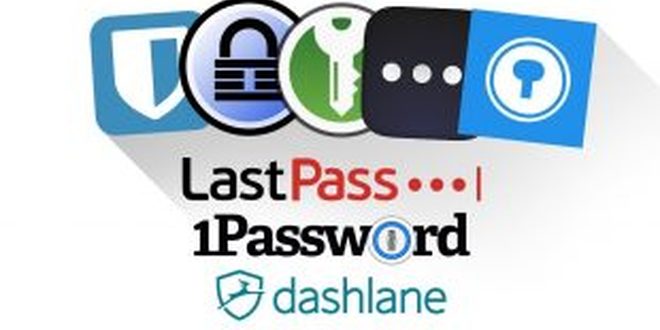
Here’s a round-up article of the top rated password managers and links to their respective reviews. Most password managers work as a browser extension and allow you to save login information for secure sites when you use them. The next time you visit that site, you have the option to auto-fill your stored credentials for that site.
If you have saved multiple logins for the same site, the password manager gives you those options to choose from. Some also allow you to go straight to a saved site using a menu on the browser toolbar.
Some password managers will notice when you change a saved password and offer to update it automatically for you. They can even give you the option to save your credentials when you first sign up for a new secure website. If a password manager doesn’t offer these options, then it needs to offer other significant features in return.
When using a password management app for the first time, its a good idea to get all of your existing credentials saved in the password manager. A good next step is to identify an weak passwords, as well as any that are duplicated, and replace them with strong, unique passwords.
Most password managers offer a form of security check that will identify any of these issues, and allow you to resolve the issue right there. Some even have the ability to automatically change the passwords for you and update your saved info with the new password.
Most password managers also have a password generator. This will generate secure passwords for you to use when signing up for a new site or changing a password you are already using. That means that you don’t have to strain yourself trying to come up with a good, strong password.
You also don’t have to worry about it being to simple, since you don’t have to remember it. Most generator will also give you the option to choose what makes up the generated password, such as password length and using letters, numbers and symbols.
If you would like to learn more about each password manager, click on the link to read our full review .
 LastPass
LastPass is definitely one of the best, most effective password management apps .
It is a web-based password manager that is extremely easy to use. It is packed with many useful features, supports all major platforms, and at $12/year for premium, one of the most affordable universal password managers available.
It works as a browser extension and as a web interface. No need to install an app on you computer.
LastPass password manager has to versions to choose from – Free and Premium. Both of these options use a master password to protect and securely store an unlimited number of logins in a vault. You can also automatically complete online forms and use multi-factor authentication with both versions.
Additionally with the premium version, you can sync across all your devices, store program passwords, and share your login credentials with other people.
One of my favorite features of LastPass is the password generator. It creates strong, unique passwords for you and stores them. You also have the ability to customize the features of the generated passwords. You can choose how long they are, as well as what characters are used in the password.
 Dashlane
Dashlane password manager is the biggest competitor for LastPass. They have many similar features and Dashlane is just as good with password security and just as easy to use.
It does have one extremely notable and unique feature. It can reset all of your password at the same time. This can save you a lot of time and headache in the event that your data is compromised.
Dashlane does extremely well at filling out online forms with your information. It does have some unfortunate downsides though. While the free version of Dashlane provides you with most of its essential features, you will need the premium edition to get all it has to offer.
Dashlane premium is priced at $39.99/year, making it significantly more expensive than some competitors. You are also unable to make changes to your vault if you’re not using your primary computer, since the web interface is read-only.
 1Password
1Password manager is a good pick for Mac, iPhone and iPad users. It started out on Mac and is not yet as available on windows.
It does have one of the best interfaces we have seen, and fantastic ease of use. It offer an array of syncing options, some that even bypass the cloud.
1Password can also generate one-time passwords that are used by some two-step verification systems. This can act as a substitution for apps like LastPass Authenticator or Google Authenticator.
1Password does not have the best pricing structure. It has a base plan for a single user for $2.99/month ($35.88/year).
If you plan on sharing though, you will have to upgrade to the families ($59.88/year) or business ($3.99/member) option. You have to have one of these two plans to have access to secure sharing. 1Password does have form-filling, but does not support two-factor authentication.
 RoboForm
RoboForm has been around since 1999 and has a vast number of followers that are dedicated to it both as a password manager and as an auto-fill to on the internet.
RoboForm is an established and well designed password manager, claiming to be the world’s best. It offers a free version though it only stores up to 10 logins.
A premium subscription of RoboForm Everywhere will cost you $19.95/year, but they do offer discounts if you purchase multiple years at a time and mobile apps are free.
It does the job well, but lacks some of the great features of its competitors. It does not store any type of extra data, has no security audit, and does not support secure sharing. It does support form filling, but it is a multi-step process and is not as streamlined as other password management applications.
RoboForm may not have all the same features lists as LastPass or Dashlane, but it is still a very useful tool to have.
Our Top Pick
LastPass is clearly the leader of the pack and our pick for the top password manager . This was one of the first password managers that made it overwhelmingly easy to store all of your passwords. LastPass really is the “last password” you will ever need to remember.
It remembers your passwords so you don’t have to and makes it easy to audit your passwords, or automatically change a password if you believe it has been compromised. LastPass has everything you want and need in a password manager along with additional features that just make it better.